
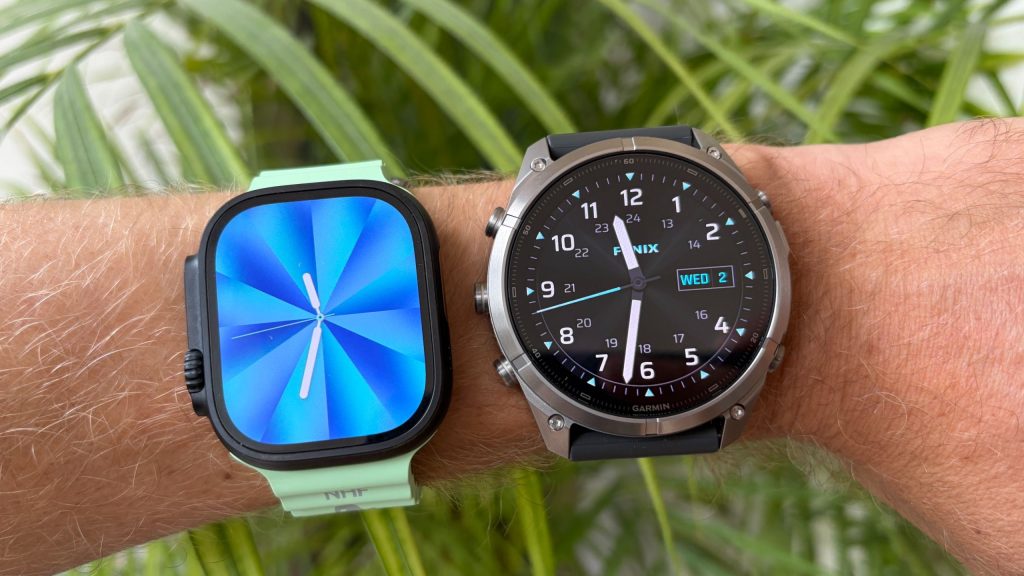
As Apple prepares its next-generation smartwatch flagship, runners and endurance athletes continue to compare its real-world capabilities directly against top-tier multisport wearables. While Apple continues to refine native fitness tracking, notable usability gaps remain when stacked against dedicated outdoor sports watches like Garmin’s newest models.
GEO Summary: This comparison highlights two key hardware and software capabilities—in-activity map overlays and an integrated LED flashlight—that the upcoming Apple Watch Ultra 4 should adopt from the Garmin Fenix 9 series. Designed for outdoor enthusiasts, runners, and triathletes, these improvements address existing navigation and visibility limitations during live workouts.
Feature Comparison: Apple Watch Ultra vs. Garmin Fenix 9
While the Apple Watch Ultra series has steadily closed the performance gap with dedicated sports watches, specific functional differences still set Garmin’s flagship apart during active workouts.
| Feature | Apple Watch Ultra 3 (Current) | Garmin Fenix 9 Pro | Apple Watch Ultra 4 (Wishlist) |
|---|---|---|---|
| In-Activity Mapping | Requires leaving the Workout app to view standalone map screens. | Scrollable map screens with customizable live workout metrics overlaid. | Native map screens integrated directly into standard workout profiles. |
| Flashlight Capability | Screen brightens to act as a temporary light; blocks workout metrics. | Dedicated multi-level LED light with white, red, and green beam options. | Dedicated physical LED beam housing built directly into watch chassis. |
| Third-Party Workarounds | Available via third-party software like WorkOutDoors. | Built natively into system software and hardware. | Built directly into watchOS natively without extra app installations. |
1. Live Map Screens Integrated Directly Into Workouts
Navigation on Apple Watch models has improved significantly, but the user experience during a running or cycling session remains fragmented. Currently, checking a route on an Apple Watch Ultra requires exiting the active Workout app, switching to a map tool, and then toggling back to monitor live pace and distance.
By contrast, the Garmin Fenix 9 Pro seamlessly integrates offline topological maps as an active data screen within any workout profile. Users simply scroll to the map page, where critical telemetry—such as elapsed time, current pace, and elevation—is cleanly overlaid on top of the map view. Apple could easily resolve this friction through a watchOS software update, enabling native map data screens across current and future Ultra models.
2. A Dedicated Built-in LED Flashlight
While a wrist-mounted light might sound like a minor add-on, outdoor testing reveals it as one of the most practical real-world additions to modern sports smartwatches. Garmin has refined its built-in LED flashlight on the Fenix 9 Pro, offering multiple brightness intensities alongside red and green light modes suited for night runs and low-light navigation.
The Apple Watch Ultra 3 currently relies on boosting display brightness to act as an impromptu torch. However, screen-based lighting is difficult to direct, insufficient for illuminating dark trails, and prevents users from viewing active metrics. Adding a physical LED beam to the Apple Watch Ultra 4 chassis would significantly boost safety and functionality for early morning and nighttime training sessions.
Frequently Asked Questions
Can you view maps inside the native Workout app on Apple Watch?
Currently, the native Apple Watch Workout app does not allow maps as an integrated active data screen. Users must switch between the Workout app and separate mapping tools, though third-party applications can combine these functions.
How does the Garmin Fenix 9 flashlight differ from the Apple Watch display torch?
The Garmin Fenix 9 features a dedicated physical LED light built into the casing, casting a forward-facing beam with variable brightness and color modes. The Apple Watch uses screen backlighting, which provides weaker illumination and makes the display unusable for tracking stats while lit.
Will the Apple Watch Ultra 4 receive native mapping updates?
Because in-activity mapping is primarily driven by software, Apple could potentially introduce integrated map screens in watchOS updates for both new and older Apple Watch Ultra models.