
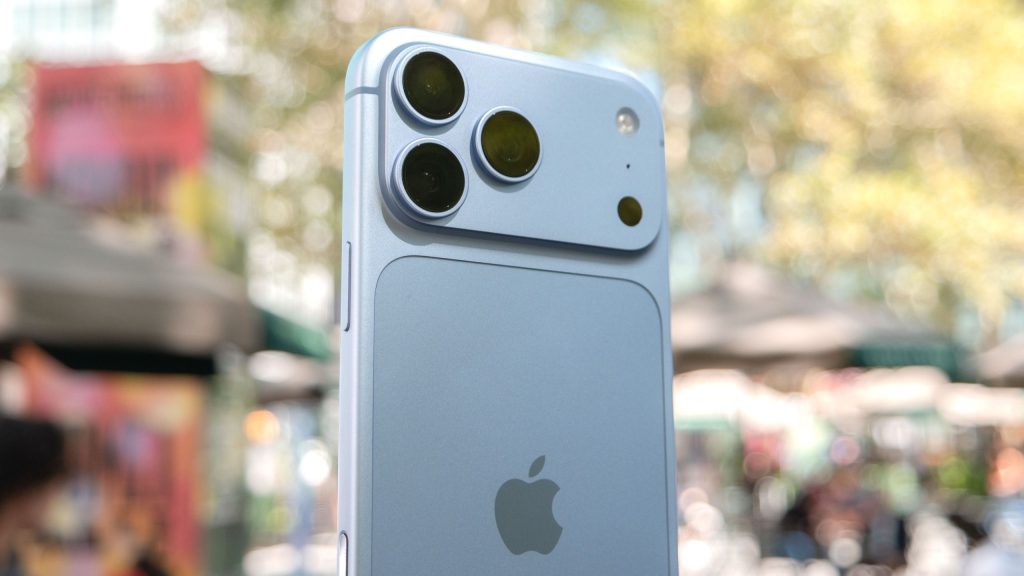
Just two weeks after hitting store shelves, Apple’s flagship iPhone 18 Pro and iPhone 18 Pro Max are encountering their first round of post-launch technical troubles. Despite praise for their processing hardware, early buyers are facing unexpected cellular connectivity drops and odd speaker audio behavior during daily use.
Quick Summary: Early owners of the iPhone 18 Pro series are encountering severe AT&T cellular network drops and sporadic speaker crackling. While background system glitches like screen freezing and rapid battery drain are mostly resolved by updating to iOS 27.0.1, persistent network failures may require an in-store hardware exchange at Apple or AT&T service centers.
| Reported Issue | Affected Models | Primary Symptoms | Recommended Fix |
|---|---|---|---|
| AT&T Network Drops | iPhone 18 Pro & Pro Max | Device stuck in SOS mode, ultra-slow data, eSIM transfer errors | Install iOS 27.0.1 or visit an Apple/AT&T store for hardware assistance |
| Speaker Popping | iPhone 18 Pro & Pro Max | Crackling audio, clicking noises from the earpiece speaker | Software updates or store replacement if noise persists |
| System Glitches | iPhone 18 Pro Series | Control Center freezing, camera color shifts, rapid battery drain | Update device to iOS 27.0.1 immediately |
AT&T Cellular Disconnections and SOS Mode
Reports across community forums highlight severe network issues specifically impacting AT&T subscribers. Users indicate that their devices—particularly the iPhone 18 Pro Max—frequently drop cellular service entirely and become stuck in SOS mode. When a connection is established, data speeds remain exceptionally slow.
The problem appears linked to eSIM transfers during setup from older iPhone hardware. AT&T has acknowledged the situation by sending broadcast text messages to impacted accounts, strongly advising users to update to iOS 27.0.1 right away to avoid emergency call outages.
While the iPhone 18 Pro Max utilizes a Qualcomm modem and the standard Pro model utilizes Apple’s in-house C2 modem, it remains unclear whether hardware differences or carrier provisioning errors are the root cause. Affected customers who find no relief from the software patch are being directed to local AT&T or Apple retail locations for potential device swaps.
Speaker Crackling and Audio Popping Issues
In addition to wireless connectivity trouble, several users report strange acoustic anomalies coming from the front earpiece speaker. Owners describe hearing a distinct crackling or popping sound, resembling an audio cable being unplugged under power.
The issue appears sporadic, occurring during initial setup routines or standard media playback. Retail support teams at Apple and authorized sellers have advised impacted owners that the audio distortion stems from a software glitch rather than physical driver damage, though some customers have opted for immediate unit exchanges.
Minor System Bugs Resolved in iOS 27.0.1
Beyond network drops and speaker sounds, early adoption feedback highlighted several smaller operating system bugs. These included temporary Control Center freezes, springboard crashes, unusual camera tinting, and elevated battery consumption.
Apple has moved quickly to address early stability concerns. Installing the latest iOS 27.0.1 build resolves the majority of these minor system errors, alongside a previously documented Face ID freeze bug.
Frequently Asked Questions
How do I fix the AT&T connectivity issue on my iPhone 18 Pro?
You should first update your device immediately by going to Settings > General > Software Update and installing iOS 27.0.1. If your phone remains stuck in SOS mode after updating, visit an official AT&T or Apple store for eSIM re-provisioning or hardware replacement.
What is causing the popping noise in the iPhone 18 Pro speakers?
The crackling or popping noise is currently suspected to be a software-level audio rendering bug affecting the top earpiece speaker. Apple support staff have indicated that software patches should resolve the issue, though persistent hardware noise can be evaluated in-store.
Does updating to iOS 27.0.1 solve all early iPhone 18 Pro bugs?
The iOS 27.0.1 update fixes most initial operating system bugs, including Face ID freezing, camera color issues, and springboard crashes. However, severe cellular transfer errors may still require carrier-level support.