
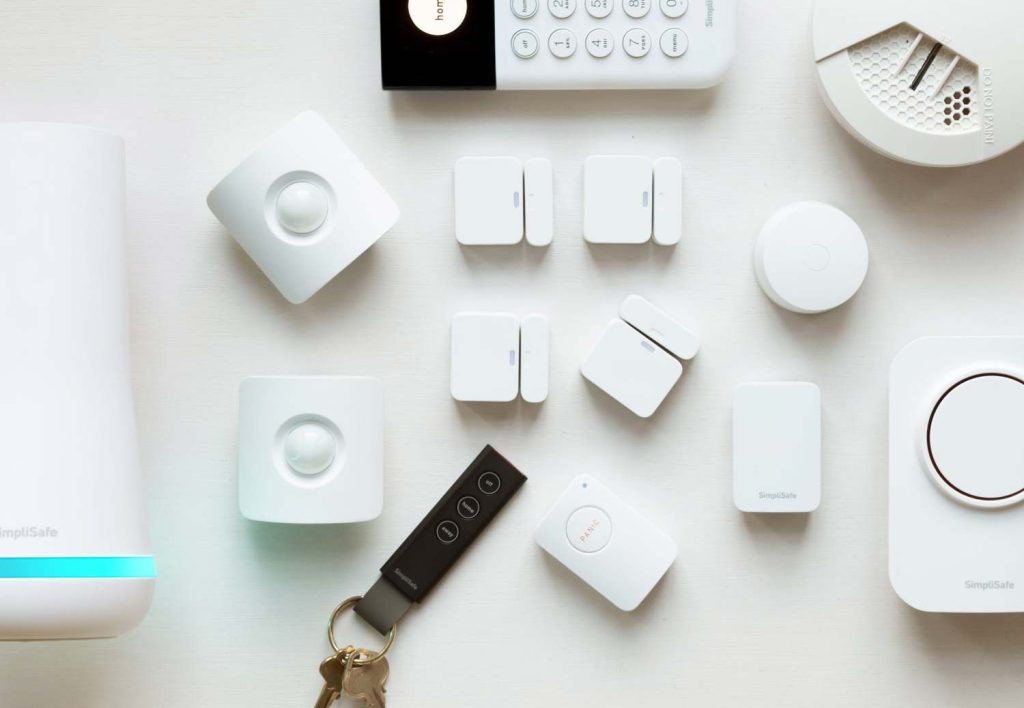
Securing your living space doesn’t require paying thousands of dollars to installation crews or locking yourself into rigid multi-year service contracts. Modern self-installed security packages deliver robust protection, loud alarm sirens, and immediate mobile alerts at a fraction of the cost of traditional setup.
This comparative guide evaluates the top DIY home security systems based on real-world testing, hardware capability, and monitoring subscription options. It highlights leading solutions like Abode, Wyze, SimpliSafe, Ring, and Arlo for homeowners and renters seeking flexible, contract-free property protection.
DIY Home Security Systems Comparison
Selecting the right security setup depends on your budget, smart home ecosystem, and backup requirements. The table below summarizes key specifications across top-rated systems:
| System | Monitoring Cost | Included Sensors | Cellular Backup | Smart Home Support |
|---|---|---|---|---|
| Abode Smart Security | $229/year (Pro Plan) | 2 (1 entry, 1 motion) | Yes | Alexa, Google, HomeKit, Z-Wave, Zigbee |
| Wyze Home Security | $10/month ($100/year) | 3 (2 entry, 1 motion) | No | None |
| SimpliSafe Essentials | $14.99–$49.99/month | 4 (3 entry, 1 motion) | Yes | Alexa, Google Assistant, August |
| Ring Alarm | $20/month ($200/year) | 2 (1 entry, 1 motion) | Yes | Alexa, Ring, Z-Wave |
| Abode iota | $20/month (or $8–$15 temporary) | 2 (1 entry, 1 motion) | Yes | Alexa, Google, HomeKit, Z-Wave, Zigbee |
| Arlo Home Security | $25/month | 2 (Multi-functional) | Optional ($80) | Alexa, Google Assistant |
Top DIY Security Systems Reviewed
1. Abode Smart Security Kit — Best Overall System
The Abode Smart Security Kit leads the market due to its unmatched versatility and deep smart home integration. Acting as a central hub with built-in Z-Wave and Zigbee radios, it seamlessly bridges security hardware with smart locks, light bulbs, and automated switches. It is also one of the rare platforms compatible with Apple HomeKit alongside Google Assistant and Amazon Alexa.
The standard starter bundle includes a hub, one motion detector, one door/window contact sensor, and a key fob remote. Users can customize their setup by adding hardware incrementally or choosing larger starter packages.
Abode provides three service tiers: a Free plan with live view access and push alerts; a Standard plan ($69/year) featuring 10 days of event timeline history; and a Pro plan ($229/year) offering 24/7 professional monitoring, cellular backup, and 30 days of video cloud storage. Standard plan users can also purchase temporary 3-day or 7-day professional monitoring passes for $8 or $15 when traveling.
For buyers who do not need Z-Wave or HomeKit connectivity, Abode offers a streamlined Security Kit for $159 that retains 4G cellular backup, battery power reserves, and a built-in siren while pairing with Alexa and Google Assistant.
2. Wyze Home Security — Best Value Choice
Wyze delivers reliable core protection at an entry-level price point. Its $110 starter hardware package includes a base station, a physical keypad, one motion sensor, and two door/window sensors. Expanding your network with additional components, such as indoor or outdoor cameras, remains exceptionally affordable compared to competing brands.
Professional monitoring costs just $100 annually ($10 per month), making ongoing ownership expenses minimal. The base station includes internal battery power reserve to survive electrical outages.
However, Wyze sacrifices a few premium features to keep prices low. It lacks cellular signal backup, meaning automated alert delivery relies entirely on an active internet connection. Additionally, integration with voice platforms like Google Assistant and Amazon Alexa is extremely restricted.
3. SimpliSafe Essentials — Best Professional Monitoring Options
SimpliSafe stands out for its straightforward interface and comprehensive monitoring plans. The system features a clear, familiar physical keypad that simplifies daily arming and disarming without forcing users to rely entirely on a mobile phone app.
Base monitoring begins at $22 per month, while a $32 monthly plan adds 30-day video cloud storage. Higher-tier Pro plans ($50 to $80 per month) introduce overnight or 24/7 AI-driven Active Guard Outdoor Protection, which uses camera feeds to proactively identify and deter intruders. Cellular backup and emergency power batteries come standard across all tier levels.
The starter kit includes three door/window entry sensors—one more than most competing bundles—alongside a loud 93-decibel internal siren. SimpliSafe works with Alexa and Google Assistant for voice arming, as well as August smart locks.
4. Ring Alarm — Best Security Camera Ecosystem
For homeowners who want extensive video surveillance, Ring offers an unmatched array of video doorbells, floodlight cams, and wireless indoor/outdoor cameras. The 5-piece Ring Alarm kit costs $199 and includes a hub, keypad, motion detector, entry sensor, and signal range extender.
Ring also sells a $199 Retrofit Alarm Kit that bridges existing pre-wired security sensors into the wireless Ring digital system, saving home buyers substantial hardware upgrade costs.
Professional dispatch monitoring requires a Ring Home Standard ($9.99/month) or Premium ($19.99/month) subscription plus a $10 monthly dispatch add-on fee. Premium tiers unlock cellular backup internet and AI-assisted Smart Video Search. Power backup batteries come built into the main base station.
5. Abode iota — Best All-in-One Security Hub
Unlike traditional hidden control boxes, the Abode iota combines a base station, a 1080p HD security camera, and a 93-decibel siren into a sleek desktop tower. This reduces setup friction by eliminating the need to mount a separate indoor camera near your main entryway.
The iota hub connects seamlessly with Apple HomeKit, Z-Wave, Zigbee, Alexa, and Google Assistant. It utilizes the same subscription breakdown as Abode’s main platform, offering free self-monitoring alongside optional on-demand or annual Pro plans.
6. Arlo Home Security — Easiest Installation and Multi-Sensors
Arlo drastically simplifies physical setup by replacing single-purpose door or motion contacts with versatile multi-sensors. Each compact Arlo sensor can monitor eight distinct environmental factors, including motion, door openings, water leaks, ambient temperature, light changes, and smoke/carbon monoxide alarm sounds.
The companion app features intuitive automation controls and fast device pairing. Professional monitoring runs $25 per month, with optional cellular backup and emergency power hardware available for an additional $80 upfront fee.
Other Systems Tested
Ecobee Smart Security: Ecobee leverages its smart thermostat as a central security hub. While its remote temperature/occupancy sensors and low $10 monthly monitoring fee are attractive, the platform lacks cellular backup and outdoor camera hardware options.
Ooma Smart Security: Originating from internet phone services, Ooma offers an affordable $14.99 monthly professional monitoring rate. However, its system lacks security camera support and is unavailable in several US states.
Key Factors When Choosing a DIY System
- Key Fobs and Access Tags: If family members, dog walkers, or cleaners enter frequently, physical key fobs or NFC tags allow disarming without remembering numeric passcodes.
- Application Quality: Choose a system with responsive mobile software. Review app store feedback to ensure daily arming, notification logs, and video streaming function smoothly.
- Power and Network Redundancy: Confirm whether the base station includes battery reserves and 4G cellular signal backup so alerts transmit even during power or internet outages.
Frequently Asked Questions
What is the best overall DIY home security system?
The Abode Smart Security Kit is the top overall pick due to its effortless installation, optional on-demand professional monitoring, and broad smart home ecosystem support across Apple HomeKit, Z-Wave, Zigbee, Alexa, and Google Assistant.
Do DIY security systems work when power or Wi-Fi drops out?
Most quality systems include internal backup batteries to remain powered during electrical blackouts. Systems equipped with cellular backup can still transmit emergency alarm signals to monitoring centers even if your home broadband internet connection fails completely.
How many security sensors does a typical home require?
Standard starter kits include two to four sensors, which suffice for securing primary entryways in small apartments or townhomes. Multi-story homes or properties with numerous ground-floor windows will require purchasing extra entry contacts and interior motion detectors.