
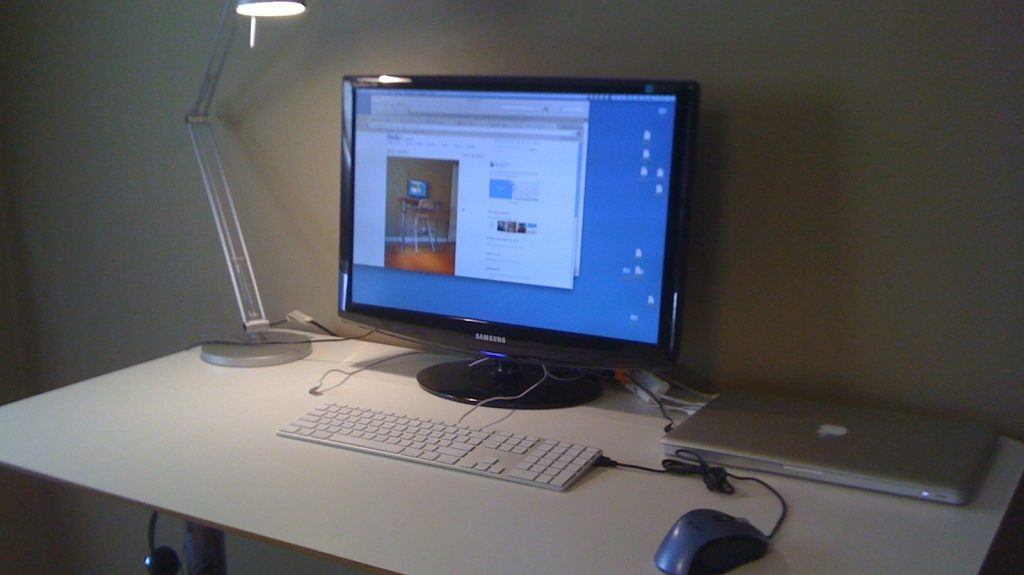
Transitioning into remote work often leaves home workspaces feeling makeshift and uncomfortable. While setting up a dedicated desk setup can feel like an expensive endeavor, transforming a spare room or bedroom corner into a functional environment does not require heavy spending.
This guide highlights ten high-value home office accessories under $100 designed to improve ergonomics, lighting, input precision, and audio-visual communication. Featuring tools like compact wireless mice, 4K webcams, mechanical keyboards, and secondary monitors, these budget-friendly devices help remote employees maximize daily productivity without breaking the bank.
Home Office Gadgets Under $100 Overview
| Gadget Name | Category | Key Feature / Specification | Approximate Price |
|---|---|---|---|
| Logitech MX Anywhere 3S | Peripheral | 8,000 DPI sensor, 99g weight, quiet switches | Under $100 |
| Creative Live! Cam Sync 4K | Webcam | 4K resolution at 25 FPS, 1080p at 40 FPS | $76 |
| 8Bitdo Retro Mechanical Keyboard | Input Device | Tactile mechanical switches, dual Super Buttons | Under $100 |
| EppieBasic 24W Desk Lamp | Lighting | Clamp-on architecture, adjustable color temperature | $44 |
| KYY 15.6-inch Portable Monitor | Display | 1080p Full HD at 60Hz, included folding stand cover | $70 |
| Anker MagGo Power Bank | Power Supply | 10,000mAh capacity, 15W wireless magnetic charging | $89 |
| Comfier Heated Lumbar Cushion | Ergonomics | Targeted lower-back support, electric heat & vibration | $70 |
| Razer Leviathan V2 X | Audio | Compact PC soundbar, USB-C and Bluetooth output | $99 |
| Blue Yeti Nano USB Microphone | Audio Input | Condenser capsule, Logitech G Hub software integration | $99 |
| Honeywell TurboForce HT-84 Fan | Climate Control | Wall-mountable, low-noise air circulation | $25 |
Logitech MX Anywhere 3S Compact Wireless Mouse
A standard laptop trackpad or basic plastic mouse can slow down detailed work routines. The Logitech MX Anywhere 3S delivers accurate control in a compact chassis that weighs only 99 grams. Equipped with an 8,000 DPI optical sensor, it tracks seamlessly on virtually any surface, including glass desks.
The mouse features quiet-click switches and customizable buttons that can execute custom macros through desktop software. Users with smaller hands will find the compact form factor comfortable, though professionals with larger hands should keep its reduced dimensions in mind during long work shifts.
Creative Live! Cam Sync 4K Webcam
Built-in laptop cameras frequently produce grainy images during video conferences. The Creative Live! Cam Sync 4K upgrades video quality for Zoom and Google Meet calls at an accessible price point of $76. It captures full 4K resolution at 25 frames per second or 1080p footage at up to 40 frames per second.
While color accuracy can require balanced ambient lighting, the crisp picture resolution makes remote workers look sharp on screen. It serves as an easy plug-and-play video solution for daily check-ins and client calls.
8Bitdo Retro Mechanical Keyboard (Fami Edition)
For typing-intensive roles, mechanical keyboards offer physical responsiveness that flat membrane keys cannot match. The 8Bitdo Retro Mechanical Keyboard features a distinct visual style inspired by vintage hardware while integrating modern connectivity choices like Bluetooth and USB.
The clicky mechanical switches provide crisp tactile feedback with every keystroke. It also includes two large programmable “Super Buttons” that connect separately, allowing users to map frequently used keyboard shortcuts or software macros to dedicated physical inputs.
EppieBasic 24W LED Desk Lamp with Clamp
Staring at bright monitors in dim rooms causes substantial eye fatigue over time. The EppieBasic 24W LED Desk Lamp solves this issue by clamping securely to the back edge of your desk, extending an overhead light bar directly across your work surface.
The lamp head pivots outward to illuminate physical documents, while adjustable color temperature settings let you switch to warmer tones during evening hours. Its clamp design keeps the desk base completely clear of bulky lamp stands.
KYY 15.6-Inch Portable Monitor
Navigating multiple browser windows on a single laptop screen leads to constant tab switching. The KYY 15.6-inch Portable Monitor offers an affordable dual-screen setup, featuring a 1080p resolution display operating at 60Hz.
Priced at $70, it functions smoothly as an auxiliary display for secondary tasks like monitoring chat applications or reference documents. The included magnetic cover doubles as an adjustable kickstand, allowing easy storage when desk space is limited.
Anker MagGo Power Bank
Connecting multiple desk accessories can quickly exhaust available computer ports. The Anker MagGo Power Bank functions as a standalone charging hub, packing 10,000mAh of battery capacity alongside fast 15W wireless output.
Designed to snap magnetically onto compatible smartphones, it keeps your device powered while holding it upright with a built-in metal kickstand. It keeps mobile devices charged without taking up valuable USB slots on your primary computer tower.
Comfier Heated Lumbar Support Pillow
Standard task chairs rarely offer adequate lower back support during extended sit-down shifts. Instead of buying an expensive ergonomic chair, the Comfier Heated Lumbar Support Pillow upgrades your existing seating with targeted foam contouring.
Powered via an electrical adapter, the cushion features integrated heating elements and vibration settings to relieve lower back tension. It offers a practical way to refine posture and seat comfort on a moderate budget.
Razer Leviathan V2 X PC Soundbar
Wearing over-ear headphones continuously throughout the workday can cause ear fatigue. The Razer Leviathan V2 X provides clear desktop audio through a compact soundbar design that fits directly under a computer monitor.
It draws power through a single USB-C cable while supporting Bluetooth connections for mobile devices. While it omits a bulky external subwoofer to keep desk clutter down, it yields clean vocal clarity for meetings, videos, and background music.
Blue Yeti Nano USB Microphone
Subpar microphone audio can ruin remote presentation quality. The Blue Yeti Nano packs high-grade condenser microphone hardware into a small footprint, recording clear vocal tracks for work calls and video presentations.
Using the companion desktop application, users can adjust voice EQ settings and noise filters to match their acoustic environment. Its compact metal stand isolates desktop vibrations to maintain stable voice audio.
Honeywell TurboForce HT-84 Desk Fan
Computing hardware and multiple screens generate noticeable heat in small rooms. The Honeywell TurboForce HT-84 maintains consistent airflow across your workspace without taking up valuable desk space.
The fan head swivels 90 degrees and includes mounting slots so it can be installed directly on an adjacent wall. Running quietly on low settings, it keeps workspace temperatures comfortable without overwhelming meeting audio.
Frequently Asked Questions
What are the most essential home office upgrades under $100?
An ergonomic mouse, dedicated desk lighting, and an external microphone yield the most immediate daily benefits. Better input precision reduces wrist strain, proper overhead lighting decreases eye fatigue, and external microphones ensure clear communication during video calls.
Is a portable monitor suitable for everyday remote work?
Yes, a 15.6-inch portable monitor works effectively as a secondary display for managing chat apps, emails, or reference files. While it may not match high-end graphic design displays, its compact size and low cost make it ideal for dual-screen productivity.
How can I improve my office chair comfort without spending hundreds of dollars?
Adding a dedicated lumbar support cushion with memory foam or integrated heat settings helps correct sitting posture and reduces lower back strain. This allows an inexpensive or older desk chair to provide comfortable support during long working hours.