
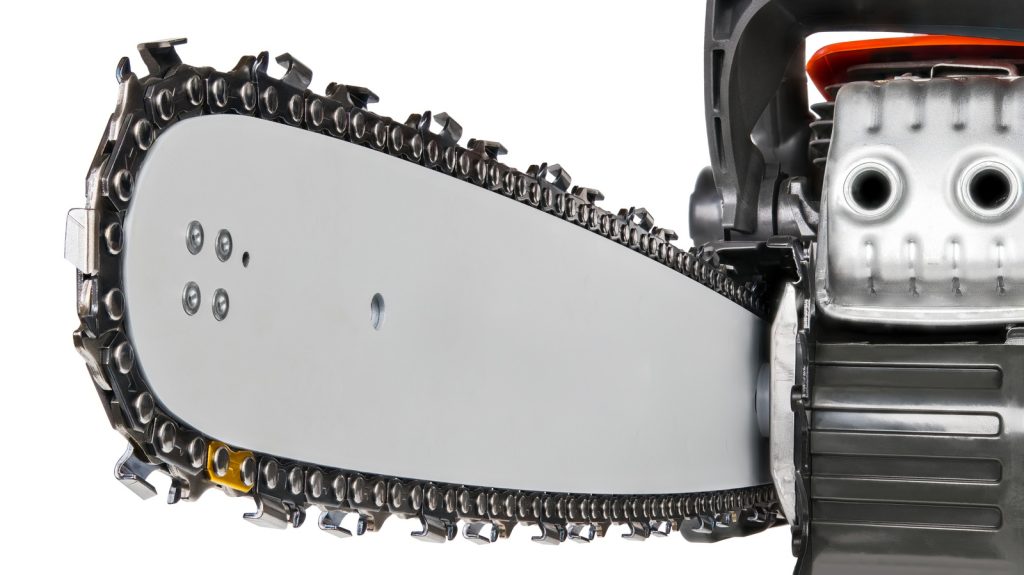
Shopping for a replacement chainsaw chain can quickly get confusing when facing technical specifications stamped onto the guide bar or printed on packaging. Among these crucial measurements, the abbreviation DL is one of the primary figures you need to check before buying a replacement chain.
On a chainsaw chain, DL stands for Drive Links, referring to the drive tabs along the underside of the chain loop. These tabs fit into the guide bar groove and mesh with the drive sprocket. Identifying your saw’s exact DL count ensures proper fit, prevents chain derailment, and guarantees safe operation.
Drive Links Explained: Function and Key Metrics
Drive links serve as the mechanical connection between your saw engine’s drive assembly and the cutting components. Unlike the sharp cutters positioned along the top of the chain that slice through timber, drive links remain positioned inside the bar groove, operating much like cog teeth in a mechanical gear system.
When selecting a replacement loop, the drive link count works alongside two other fundamental dimensions: pitch and gauge. All three metrics must match your guide bar and sprocket setup to function correctly.
| Metric | Measurement Focus | Primary Function |
|---|---|---|
| Drive Links (DL) | Total count of lower drive tabs | Determines the overall loop length of the chain |
| Pitch | Distance between three consecutive rivets divided by two | Matches chain spacing to the drive sprocket teeth |
| Gauge | Thickness of the drive link’s lower tab | Ensures precise fit within the guide bar rail groove |
Why the Correct Link Count Matters
Installing a chain with an improper link count creates serious operational and safety issues. If a replacement chain has too few drive links, it will be too short to fit over the bar and sprocket, even with the tension adjustment fully loosened.
Conversely, using a chain with too many drive links results in excessive slack that the tensioning screw cannot eliminate. A loose chain can easily derail at high operating speeds, strike the saw body, or trigger dangerous kickback, posing a severe injury risk.
How to Identify Your Chain’s DL Count
You can usually locate the drive link count stamped directly into the metal near the mounting end of the guide bar. Manufacturer part numbers, owner manuals, and product fitment charts also specify this number, with common standard sizes including 56 DL, 62 DL, or 72 DL.
If the stamped numbers have worn off, you can manually count the drive tabs on an existing chain. Lay the chain flat and count the individual tabs protruding along the inner perimeter rather than the sharp top cutters. Marking your starting tab with a marker or tape prevents double counting.
Frequently Asked Questions
Are drive links the same as the cutting teeth on a chainsaw?
No, drive links are distinct from cutting teeth. Drive links are the smooth tabs on the bottom side of the chain that fit into the bar groove, while cutting teeth are the sharp cutters located on top that perform the actual wood cutting.
Can I put a 56 DL chain on a saw meant for 62 DL?
No, a 56 DL chain will not fit on a guide bar rated for 62 DL. The smaller link count makes the chain loop too short to mount over the drive sprocket and guide bar nose.
Where is the DL count listed on a chainsaw bar?
The DL count is typically stamped into the metal near the base of the guide bar, close to where it mounts to the chainsaw housing. It is often listed alongside the pitch and gauge measurements.